New content.
Too few ways to compose it.
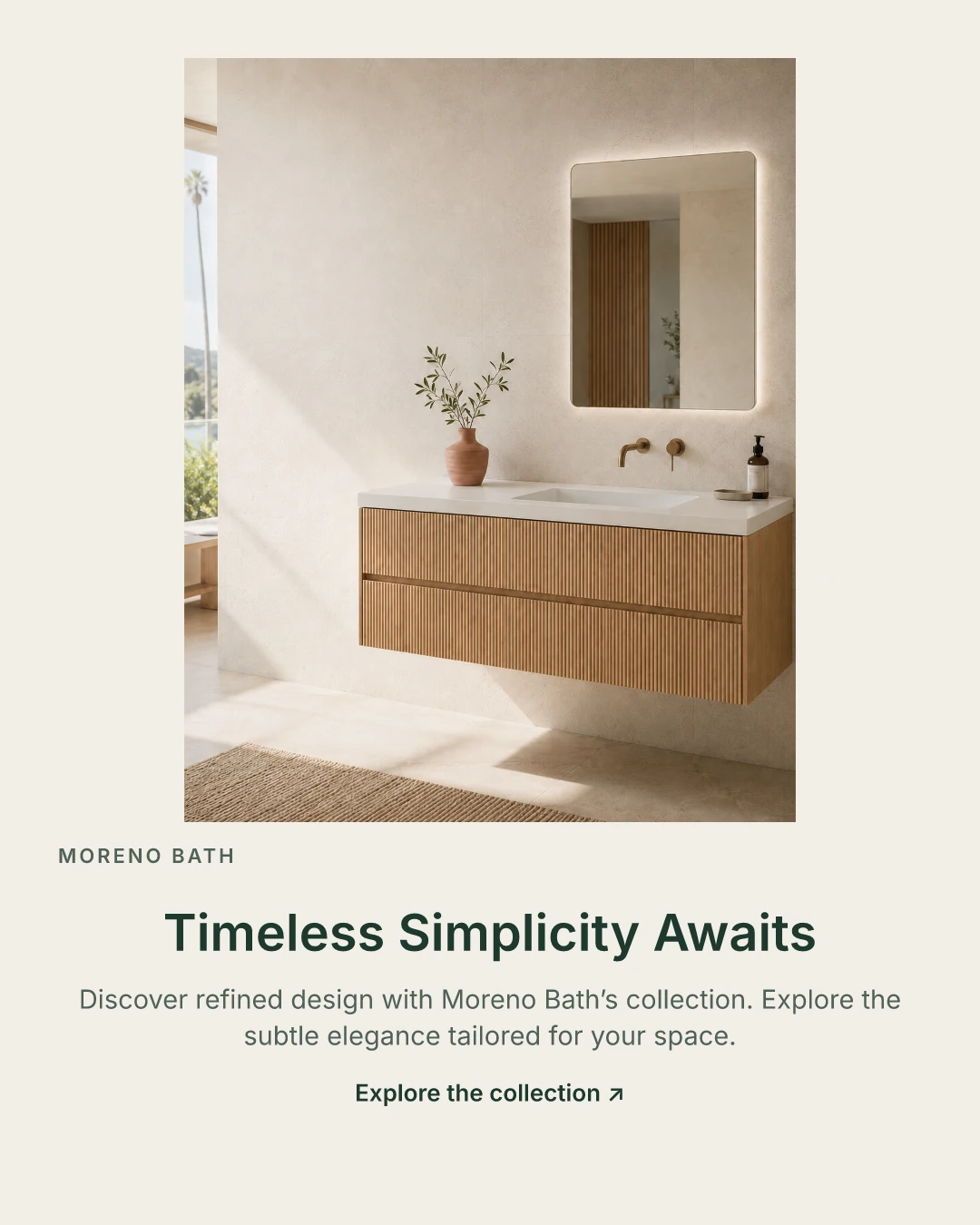
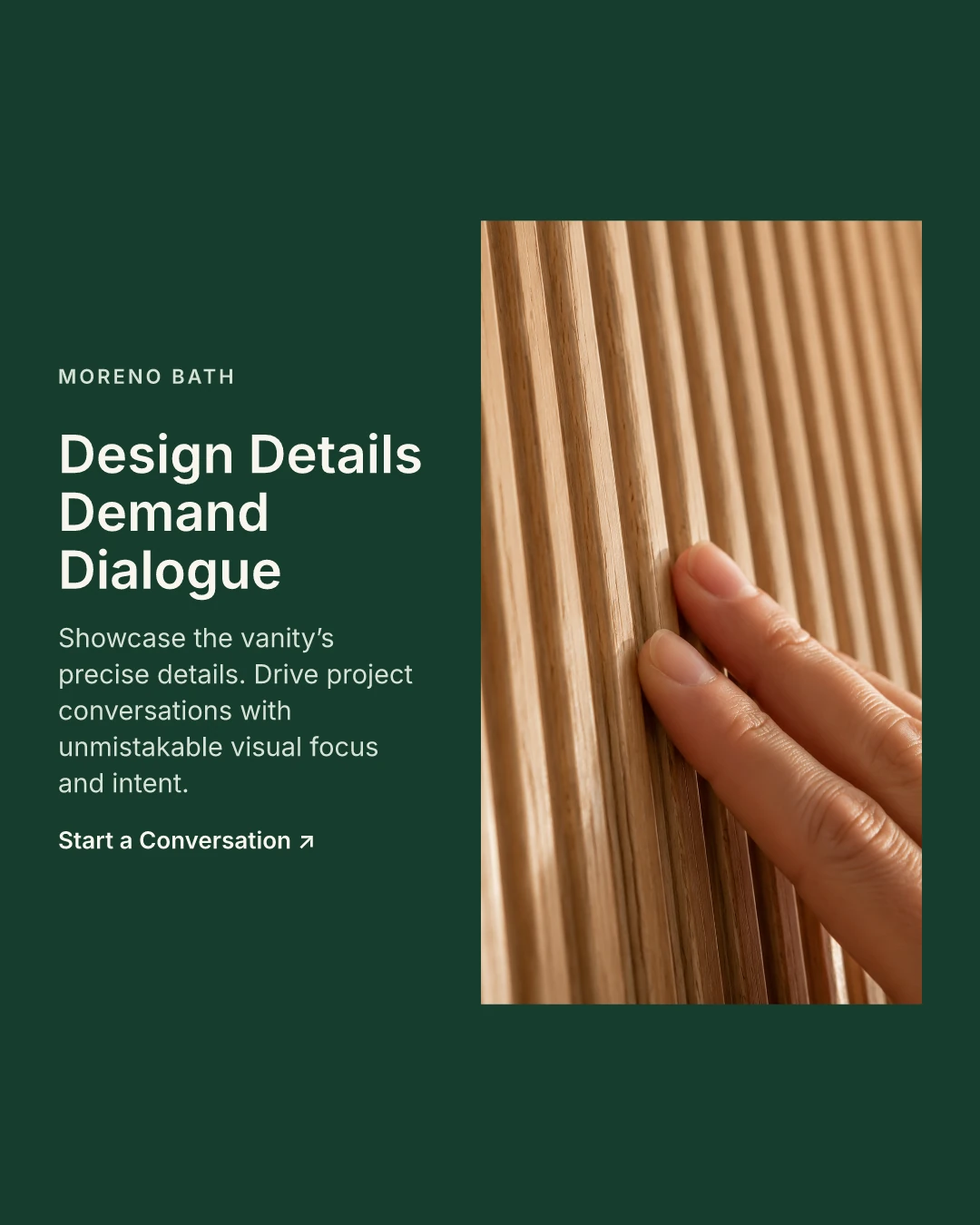
Earlier live runs changed the content for different audiences and goals. One font, three palettes and partly ineffective layout controls constrained the result.
AI makes proposals.
The designer makes the calls.
I designed an AI creative workflow that turns a campaign brief into editable visual drafts, with clear points for a designer to choose, revise and approve.
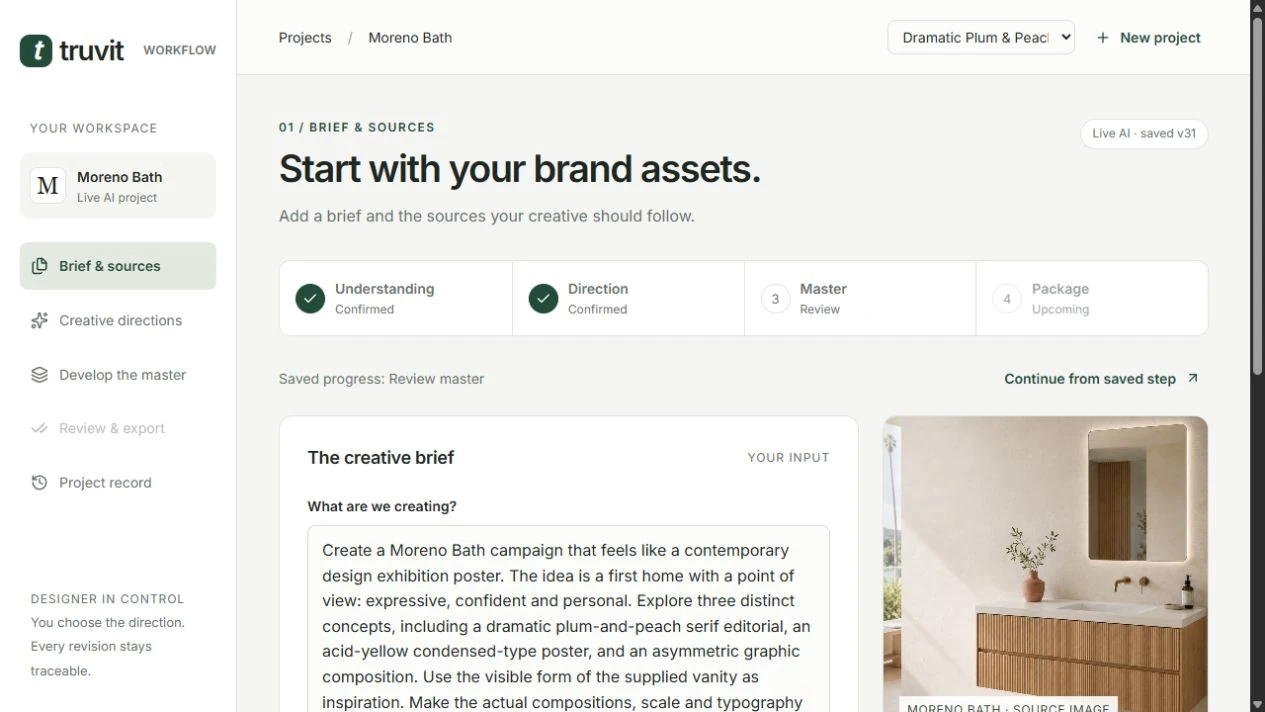
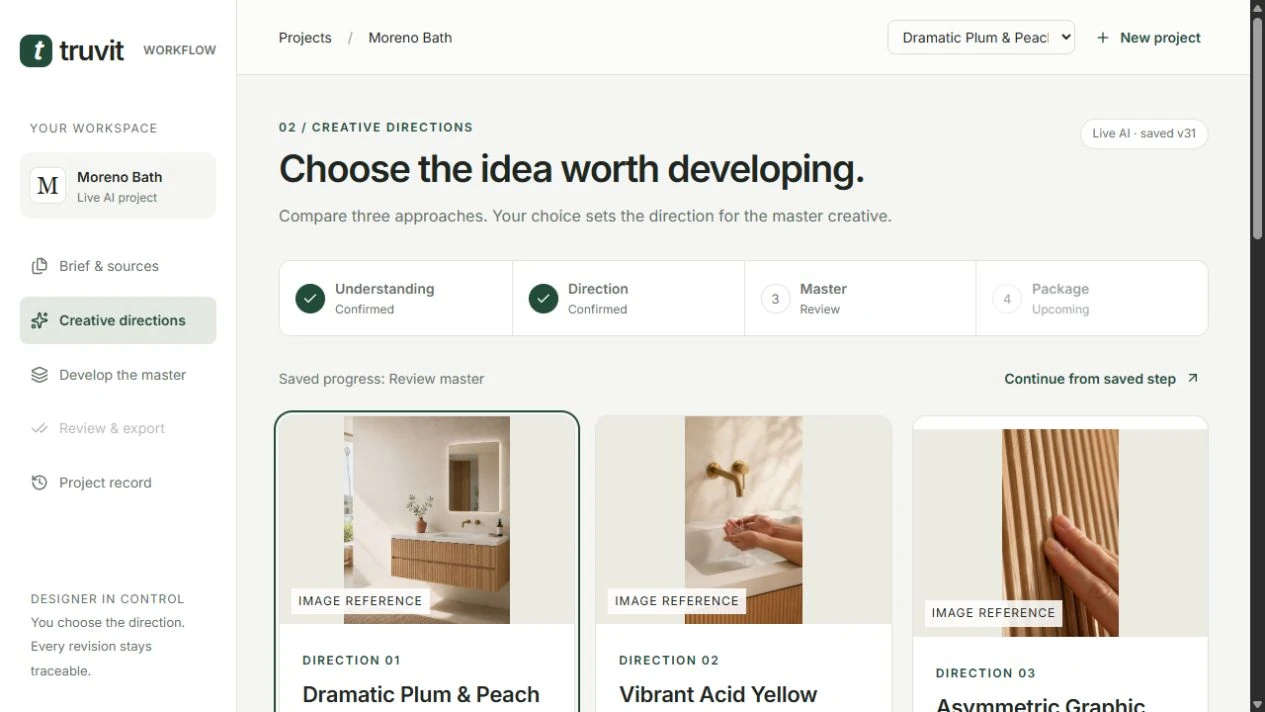
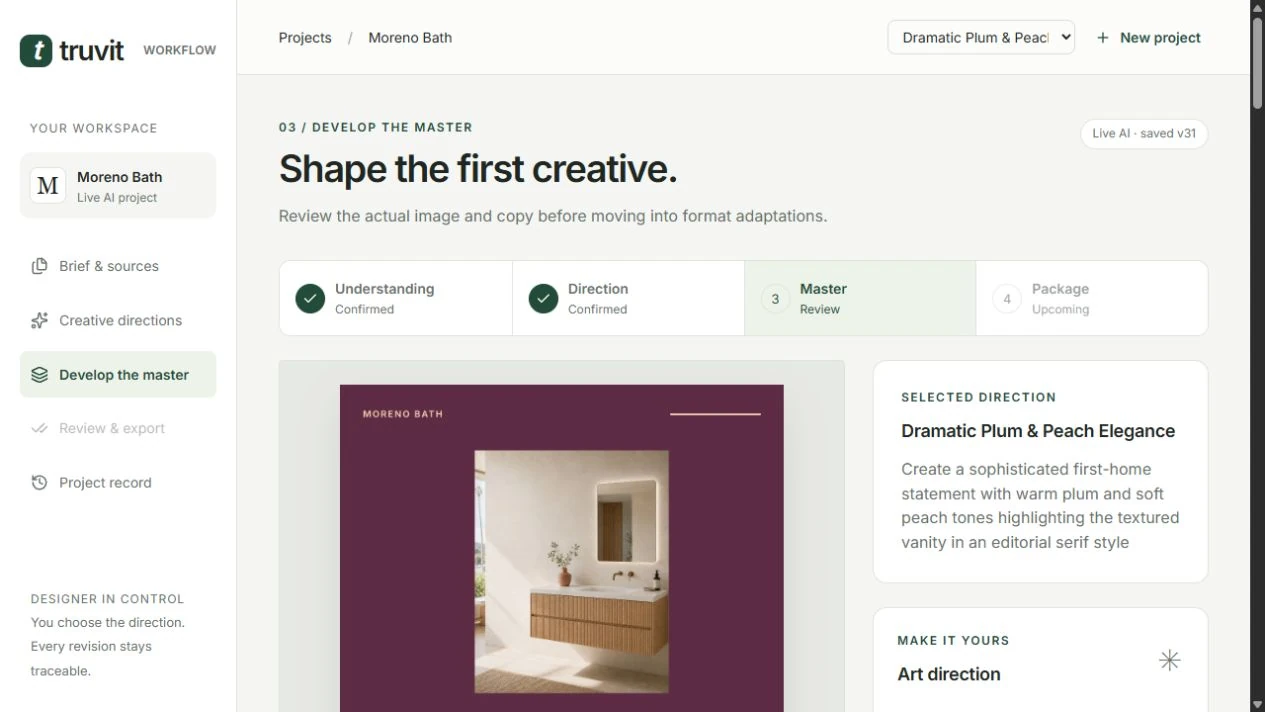
Actual saved screens from the working prototype. Moreno Bath is the example brand; the photos are supplied assets. The app composes them into drafts, rather than generating product photography.
I focused on the decisions around generation: checking what the brief means, choosing a direction and deciding what needs review after an edit. Truvit keeps the sources, drafts and decisions together so a designer can continue from the last checkpoint.
I led the problem framing, workflow structure, interaction direction and iteration priorities, and recruited the original three exploratory participants. Codex provided substantial implementation, debugging, technical testing and documentation support under my direction.
I challenged the prototype with a different audience and goal. The model changed the copy, photo and palette, but the available layouts and typography limited the visual range. Investigation found two layout options producing identical files and controls that did not change the image.
I prioritized more direct control over art direction. The prototype was expanded to five compositions, three typographic voices, custom colors and layouts that respond to each output format.
Earlier live runs changed the content for different audiences and goals. One font, three palettes and partly ineffective layout controls constrained the result.
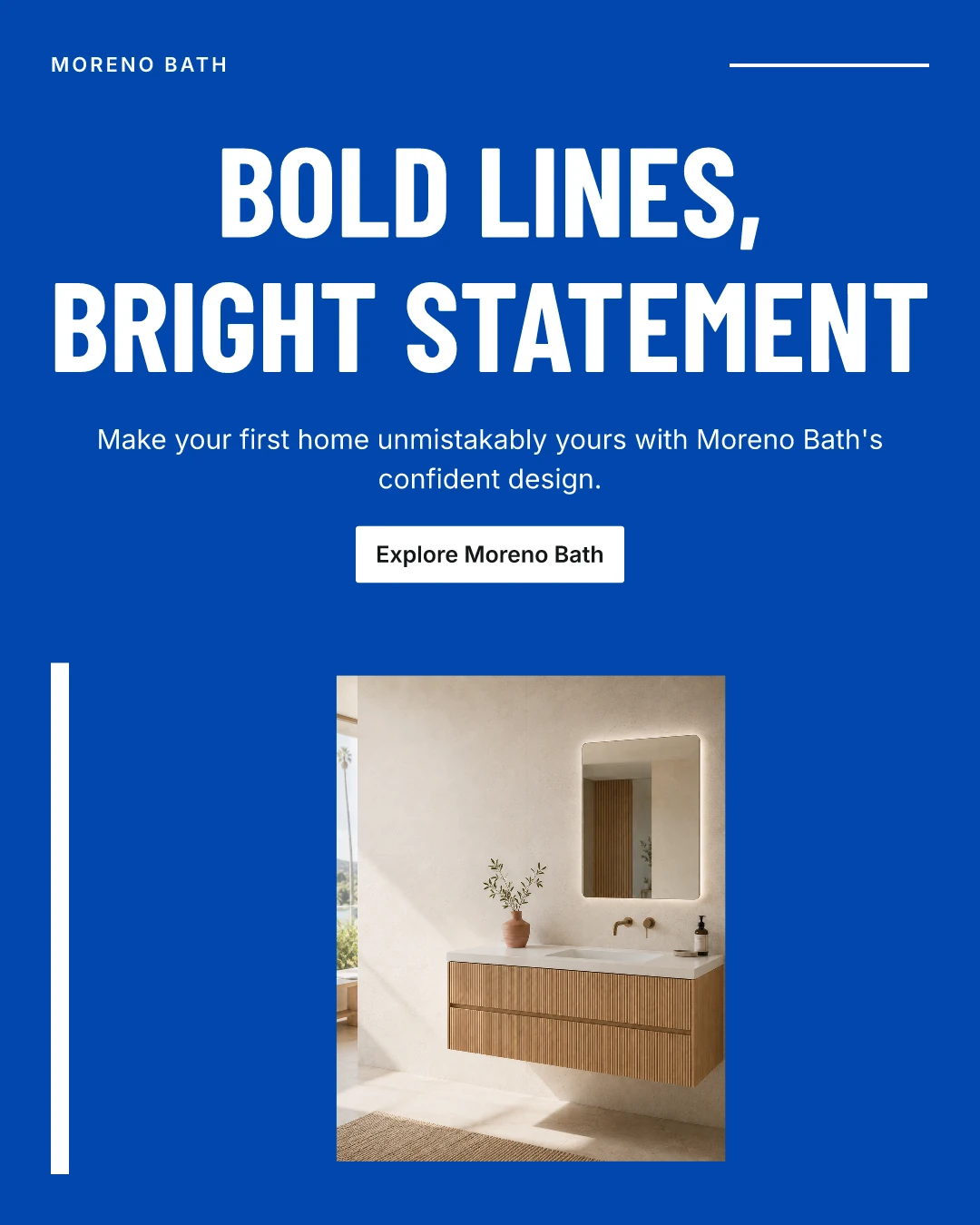
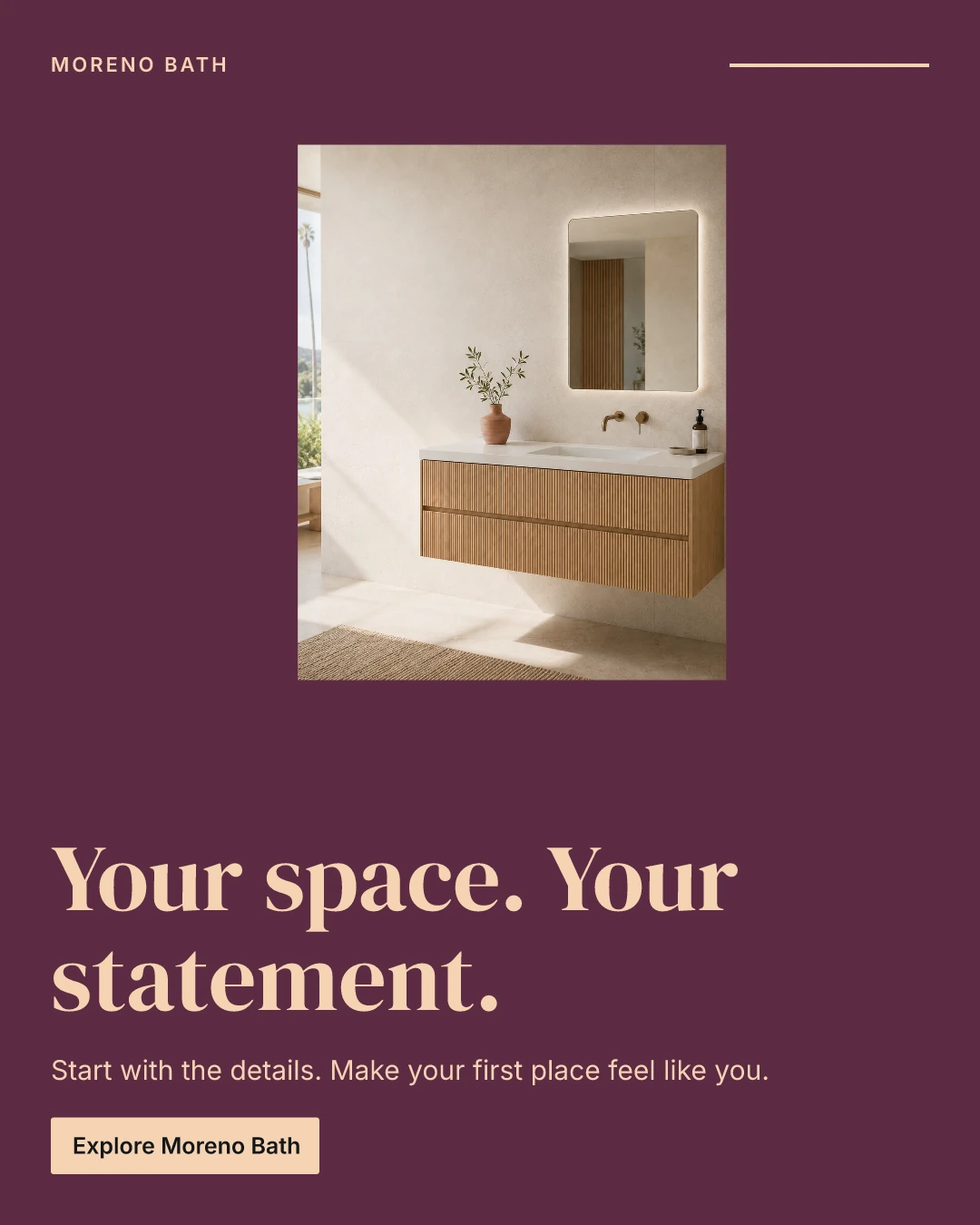
Cobalt: an expanded-prototype technical run. Plum: a live draft with directly edited copy, still awaiting owner creative approval. These different briefs and iterations illustrate the wider range; they are not a controlled preference study or launched campaigns.
I organized the workflow around four designer decisions. The AI proposes content; the designer chooses what moves forward. If something changes, the prototype asks for a new review of the work that depends on it.
Separate supplied facts, assumptions and questions.
Confirm understandingCompare the message, visual approach and tradeoff.
Choose a directionCompose supplied imagery into an editable draft.
Accept the masterRecompose for 4:5 and 9:16; review the actual files.
Approve the packageA diagram of the implemented rules. It does not run the AI.
Changing copy preserves the chosen direction, but the master and its adaptations need a new review. Earlier files remain in history.
Proposes a permitted skill for the requested change.
Enforces versions, permissions, checkpoints and export conditions.
A separate model call inspects the actual images. Its findings remain advisory.
The prototype uses six bounded skills, a React and TypeScript front end, a deterministic controller, OpenAI model calls, persistent project records and file storage, and an SVG-to-PNG composition engine. Each skill returns a structured result that is checked before being accepted. There is one limited workflow agent and a separate reviewer call.
The engine arranges supplied photos; it does not generate product photography. Memory stays within a project. Live ad publishing, performance analytics and arbitrary video generation are outside this prototype.
A complete live technical run produced a master draft and two format adaptations. The 9:16 version gets its own arrangement while retaining the chosen photo and copy. The package includes PNG and editable SVG files, fonts, copy and a record linking the files to their sources and decisions.
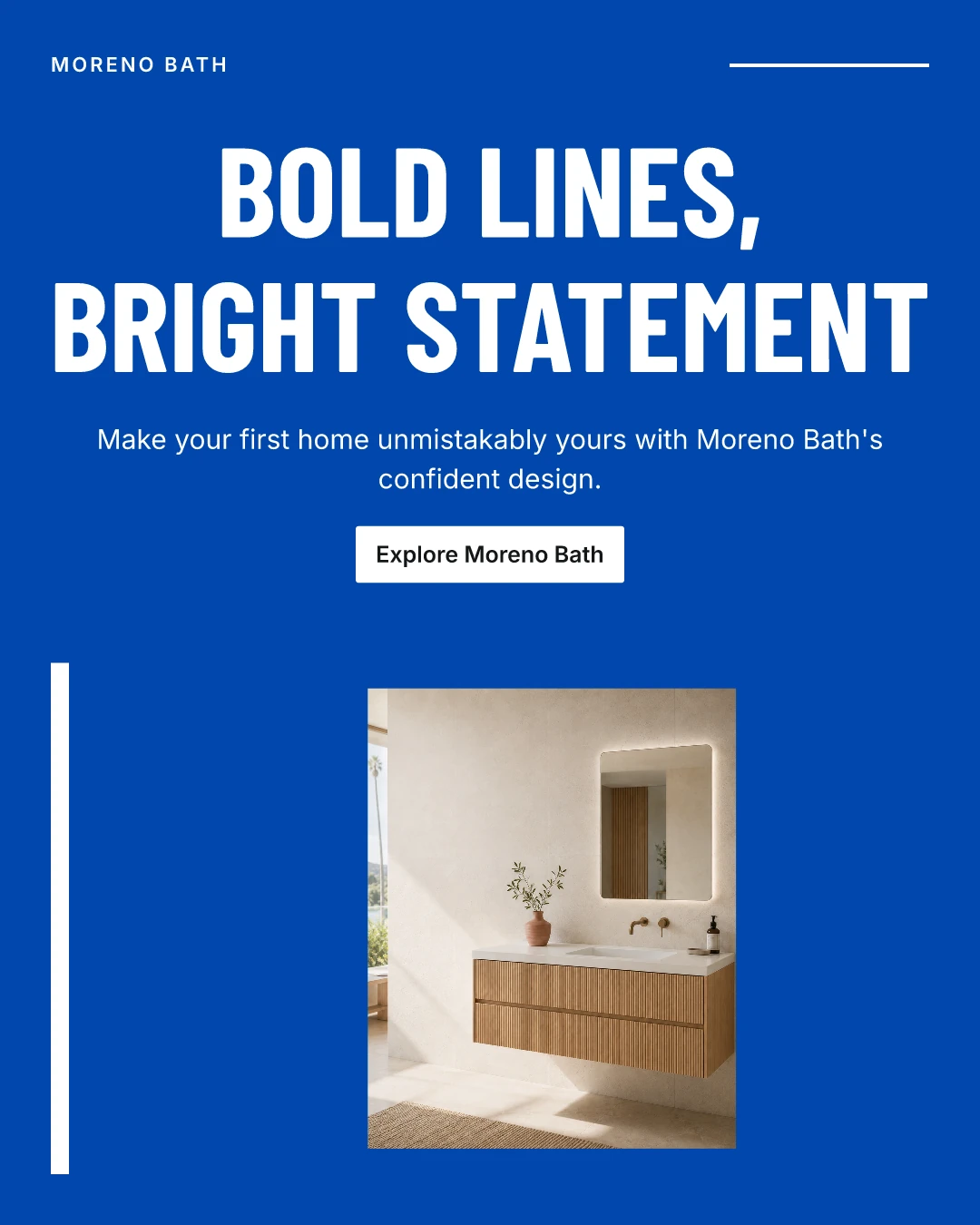

Dimensions, text boundaries, contrast and source-image use were checked. Exported file hashes matched the verified artifacts.
Download actual export · 11.6 MB ↗Approval in this run was explicitly recorded as agent-operated technical verification. It does not establish audience preference, advertising effectiveness or owner approval for launch.
Three participants—a semiconductor professional, a design student and a finance professional—completed the fixed click-through without prompts, based on my retrospective session reports.
One read the opening for longer; one reported incomplete understanding; one questioned the name Moreno. I clarified the example brand and opening task. That wording revision has not been retested.
Technical checks covered real AI calls, saved work, targeted edits, file generation and export. Tests also checked distinct layout results, invalid inputs and the need for a new review after an edit.
These checks establish working behavior for the tested cases. They do not establish better design quality or time savings. The planned designer study will examine revisions, understanding of approvals and the resulting files; it has not been conducted.
The design of an AI tool includes the parts around generation: what the model can see, what it can change, when a person must decide, and what becomes invalid after that decision changes.
Independent portfolio prototype using supplied Moreno Bath example assets; no client commission or commercial relationship is claimed. The live AI app remains private. The walkthrough and exported examples here can be viewed independently.